 Sep 12, 2026 - 0
Minutes read
Sep 12, 2026 - 0
Minutes read
Best AI Video Creation Tools for Marketers & Small Businesses
Best AI Video Platforms for Marketing, Social Media & Branding
How to Choose the Right AI Video Tool for Your Business
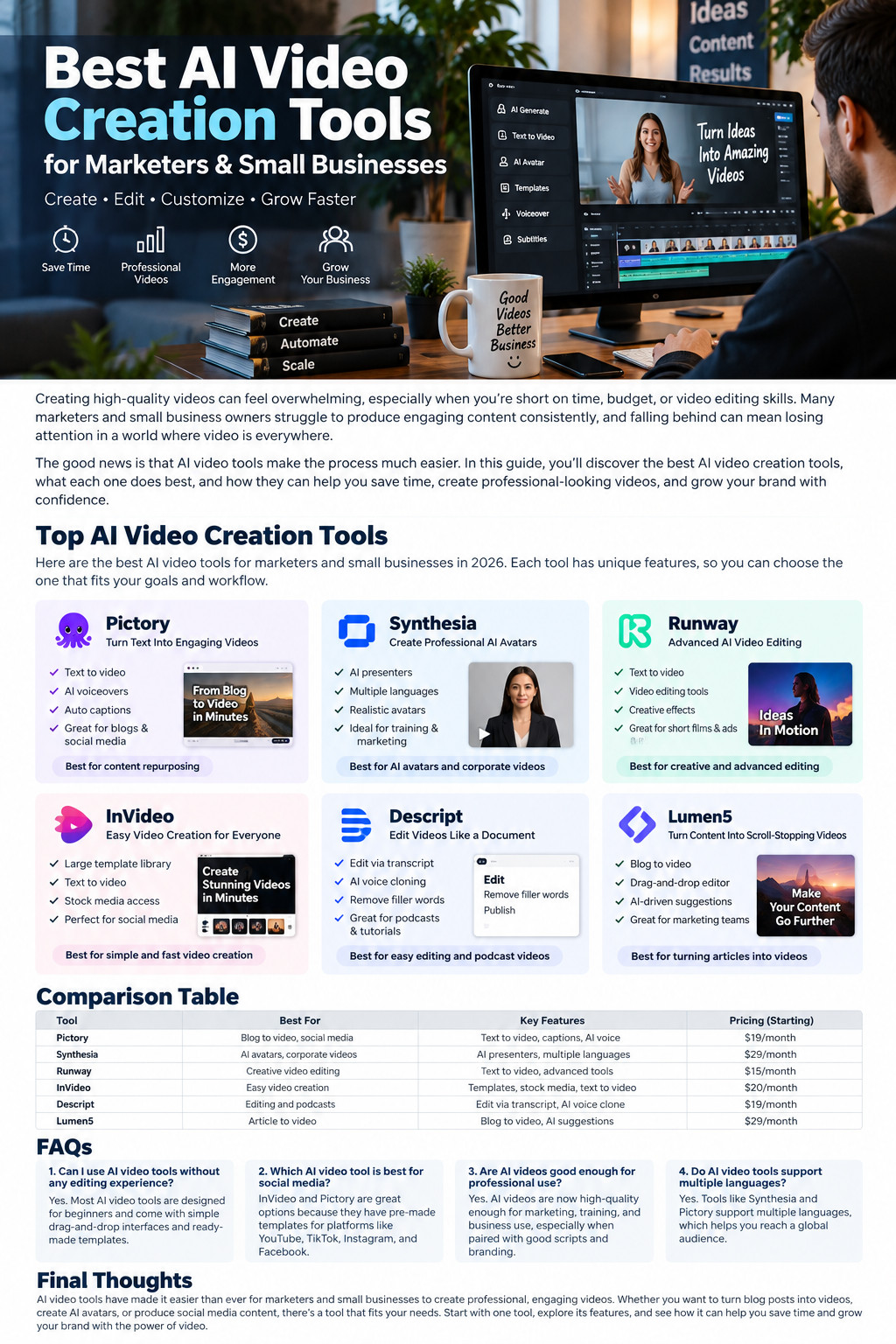
Creating high-quality videos can feel overwhelming, especially when you’re short on time, budget, or video editing skills. Many marketers and small business owners struggle to produce engaging content consistently, and falling behind can mean losing attention in a world where video is everywhere.
The good news is that AI video tools make the process much easier. In this guide, you’ll discover the best AI video creation tools, what each one does best, and how they can help you save time, create professional-looking videos, and grow your brand with confidence.
Top AI Video Creation Tools
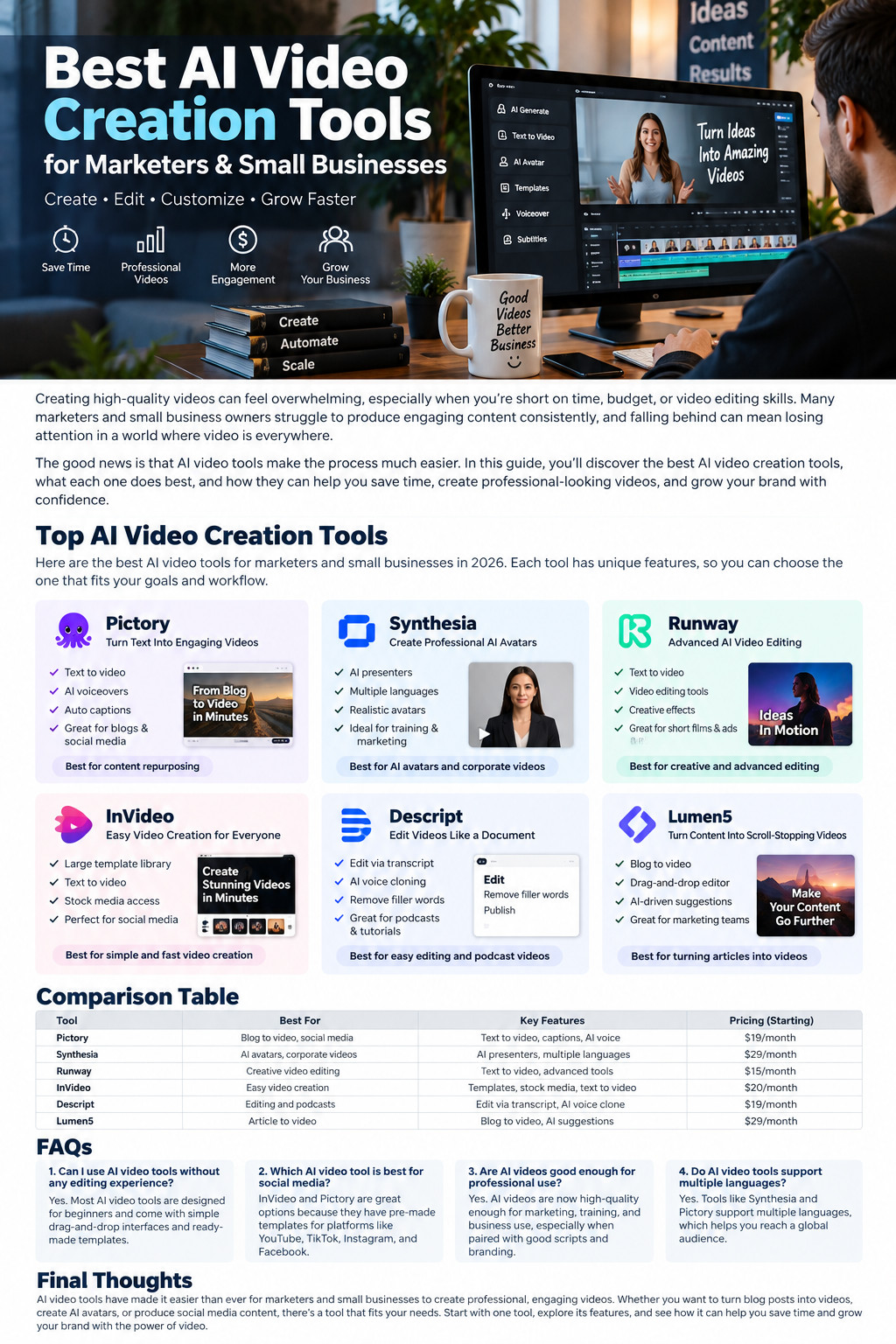
Here are some of the best AI video tools for marketers and small businesses. Each tool has unique features, so you can choose the one that fits your goals and workflow.
1. Pictory — Turn Text Into Engaging Videos
Pictory is a useful AI video tool for turning written content into engaging videos. It can be especially helpful for bloggers, affiliate marketers, and small businesses that want to repurpose existing content.
Key Features:
- Text to video
- AI voiceovers
- Auto captions
- Great for blogs and social media
Best for: Content repurposing
2. Synthesia — Create Professional AI Avatars
Synthesia helps businesses create presenter-style videos using AI avatars. You can create training, marketing, educational, and corporate videos without recording a real presenter.
Key Features:
- AI presenters
- Multiple languages
- Realistic avatars
- Ideal for training and marketing
Best for: AI avatars and corporate videos
3. Runway — Advanced AI Video Editing
Runway is designed for creators and marketers who need more advanced AI-powered video generation and editing tools.
Key Features:
- Text to video
- AI video editing tools
- Creative effects
- Useful for short films and ads
Best for: Creative and advanced video editing
4. InVideo — Easy Video Creation for Everyone
InVideo makes video creation easier with templates, stock media, and AI-assisted features. It can be a practical option for businesses producing frequent social media content.
Key Features:
- Large template library
- Text to video
- Stock media access
- Suitable for social media
Best for: Simple and fast video creation
5. Descript — Edit Videos Like a Document
Descript allows users to edit videos through a text transcript. This makes video and audio editing easier for beginners who may not be comfortable with traditional editing software.
Key Features:
- Edit via transcript
- AI voice features
- Remove filler words
- Useful for podcasts and tutorials
Best for: Easy editing, tutorials, and podcast videos
6. Lumen5 — Turn Content Into Scroll-Stopping Videos
Lumen5 is designed to help marketers transform articles and written content into visual videos. Its simple editor makes it convenient for content marketing teams.
Key Features:
- Blog to video
- Drag-and-drop editor
- AI-driven suggestions
- Useful for marketing teams
Best for: Turning articles into videos
AI Video Tools Comparison
|
Tool |
Best For |
Key Features |
|
Pictory |
Blog-to-video & social media |
Text to video, captions, AI voice |
|
Synthesia |
AI avatars & corporate videos |
AI presenters, multiple languages |
|
Runway |
Creative video editing |
Text to video, advanced AI tools |
|
InVideo |
Easy video creation |
Templates, stock media, text to video |
|
Descript |
Editing & podcasts |
Transcript editing, AI voice tools |
|
Lumen5 |
Article-to-video |
Blog-to-video, AI suggestions |
FAQs
Can I use AI video tools without any editing experience?
Yes, most AI video tools are designed to be beginner-friendly.
Many platforms include drag-and-drop editors, templates, and AI assistance. Start with a simple project and learn the advanced features gradually.
Which AI video tool is best for social media?
InVideo and Pictory can both be practical choices for social media videos.
They provide templates and tools that make it easier to create short-form promotional content. Choose the platform that best matches your content type and workflow.
Are AI videos good enough for professional use?
Yes, AI videos can be suitable for many professional marketing and business purposes.
The final quality still depends on your script, visuals, editing, branding, and fact-checking. Always review AI-generated content before publishing it.
Do AI video tools support multiple languages?
Yes, several AI video platforms support multiple languages.
This can help businesses create localized content for different markets. Check the specific language and voice options available in your chosen platform.
Final Thoughts
AI video tools have made it much easier for marketers and small businesses to create professional and engaging video content. Whether you want to turn blog posts into videos, create AI presenters, edit recorded footage, or produce social media content, there is a tool available for almost every workflow.
Start with one platform that solves your biggest video-production problem. Test its features, review every AI-generated result carefully, and expand your toolset only when your marketing needs grow.