 Aug 25, 2026 - 0
Minutes read
Aug 25, 2026 - 0
Minutes read
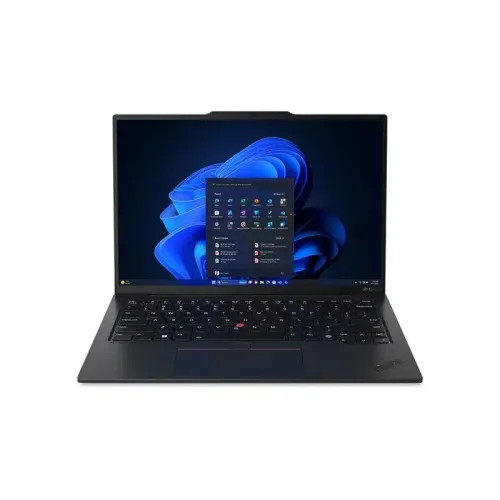
Lenovo ThinkPad X1 Carbon
Lenovo X1 Carbon Review: Features, Performance, Specs & Is It Worth Buying?
Thinking about the Lenovo X1 Carbon
Choosing the wrong laptop for work can quietly drain your productivity—slow load times, a heavy bag, a battery that dies mid-meeting. If you've been eyeing the Lenovo X1 Carbon but aren't sure whether it lives up to its reputation, those concerns are completely understandable.
This review covers everything you need to make a confident decision. From its standout specs and real-world performance to honest pros and cons, you'll know exactly what to expect from the X1 Carbon before you commit.
What Is the Lenovo X1 Carbon?
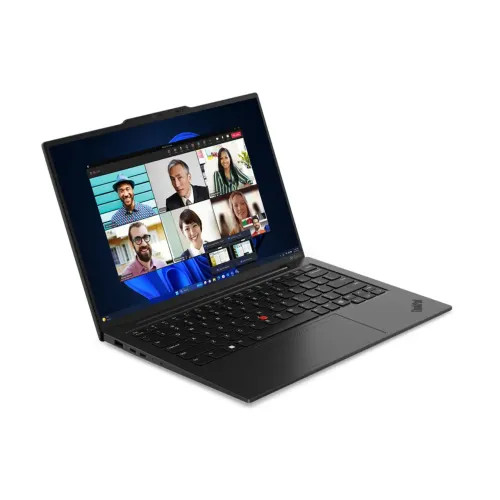
The Lenovo ThinkPad X1 Carbon is a premium ultrabook in Lenovo's long-running ThinkPad lineup, designed primarily for business professionals and power users who need a lightweight, reliable machine for daily work. First introduced in 2012, the X1 Carbon has evolved through multiple generations—currently in its 12th generation as of 2024—and has earned a reputation as one of the best business laptops on the market.
The X1 Carbon sits at the top of the ThinkPad family, distinguished by its carbon fiber construction, thin profile, and focus on portability without sacrificing performance. Lenovo positions it as a flagship device for professionals who travel frequently or work in demanding environments. It competes directly with machines like the Dell XPS 13, HP EliteBook 1040, and Apple MacBook Air in the premium ultrabook segment.
What sets the X1 Carbon apart from many competitors is its MIL-SPEC durability certification. The laptop undergoes military-grade testing across 12 categories—including extreme temperatures, humidity, dust, and vibration—making it a dependable choice for users who need a laptop that can handle real-world conditions.
Lenovo X1 Carbon Key Features and Specifications
The 12th-generation X1 Carbon comes loaded with hardware that targets professionals who demand both speed and portability. Here's a breakdown of what's inside:
Processor and Memory
The Gen 12 X1 Carbon is powered by Intel's latest Core Ultra processors (Series 2), offering configurations up to the Core Ultra 7 165U. These chips integrate Intel's AI engine (NPU), making the X1 Carbon compatible with Microsoft's Copilot+ PC features. RAM options start at 16GB LPDDR5x and can be configured up to 64GB, all soldered to the motherboard.
Storage
Storage comes in M.2 PCIe Gen 4 NVMe SSD configurations, ranging from 256GB up to 2TB. The SSD is user-replaceable, which is a meaningful advantage for long-term ownership.
Display Options
Lenovo offers several display configurations for the 14-inch screen:
- IPS Panel (FHD+, 1920x1200): The baseline option, offering solid color accuracy and anti-glare coating.
- IPS Panel (2.8K OLED, 2880x1800): A stunning upgrade for those who prioritize display quality, with deep blacks and vibrant color reproduction.
- IPS Panel (2K, 2560x1600): A balanced option between resolution and battery consumption.
Touch and non-touch variants are available across most configurations.
Connectivity
The X1 Carbon Gen 12 includes a well-rounded port selection:
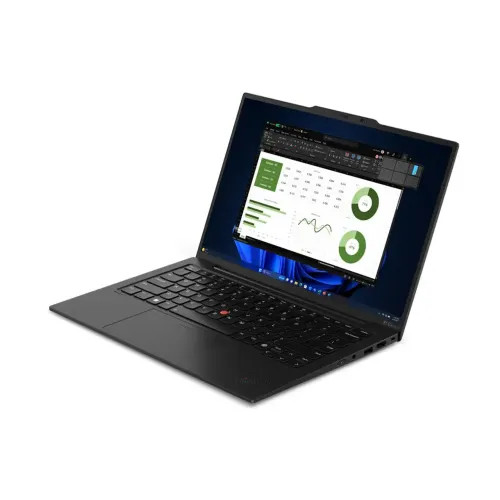
- 2x Thunderbolt 4 (USB-C)
- 2x USB-A 3.2 Gen 1
- 1x HDMI 2.1
- 1x 3.5mm headphone/microphone combo jack
- Optional 4G LTE or 5G WWAN
Wi-Fi 6E and Bluetooth 5.3 are standard across all models.
Weight and Dimensions
One of the X1 Carbon's defining characteristics is its weight. Starting at just 2.48 lbs (1.12 kg), it's one of the lightest 14-inch business laptops available. The chassis measures 12.38 x 8.72 x 0.59 inches at its thinnest point.
Performance, Battery Life, Display, and Build Quality
How Does the Lenovo X1 Carbon Perform Under Real-World Conditions?
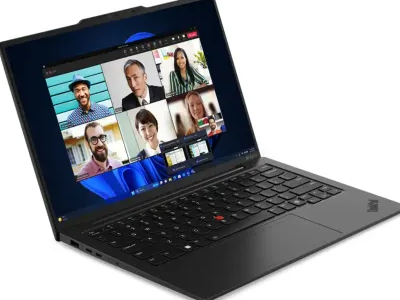
Day-to-day performance on the X1 Carbon Gen 12 is consistently strong. The Intel Core Ultra processors handle multitasking, video conferencing, document editing, and light creative work without hesitation. Users running multiple browser tabs, productivity apps, and communication tools simultaneously will find the experience smooth and responsive.
For more demanding tasks—video editing, data analysis, or running virtual machines—performance holds up well on higher-configured models, though the integrated Intel Arc graphics mean dedicated GPU workloads (like 3D rendering or gaming) are outside this laptop's comfort zone.
Thermal management is notably competent. The X1 Carbon runs quietly under moderate loads, and even during sustained workloads, fan noise remains relatively subdued compared to competing ultrabooks.
What Is the Battery Life of the Lenovo X1 Carbon Like?
Battery life is one of the X1 Carbon's strongest suits. Lenovo rates the 57Whr battery at up to 15 hours of usage, and real-world testing typically lands between 9 and 12 hours depending on screen brightness, workload, and display type. The OLED configuration draws more power, so expect closer to 7–9 hours on that variant.
The included 65W USB-C charger replenishes the battery quickly—around 80% in roughly an hour—and the laptop supports charging via any Thunderbolt 4 port, which adds flexibility when you're on the road.
Is the Lenovo X1 Carbon's Display Good Enough for Professional Work?
The display quality varies significantly by configuration. The base FHD+ IPS panel is perfectly capable for everyday work, offering comfortable brightness (400 nits) and accurate colors for productivity tasks.
The 2.8K OLED option is a step up in every measurable way—deeper blacks, wider color gamut (covering 100% DCI-P3), and better contrast. For professionals working with color-sensitive content, presentations, or anyone who simply wants a premium viewing experience, the OLED panel is well worth the upgrade cost.
How Durable Is the Lenovo X1 Carbon?
Build quality is exceptional. The carbon fiber reinforced top lid and magnesium alloy chassis feel rigid without adding unnecessary weight. There's minimal flex in the keyboard deck and lid, which speaks to the quality of the materials.
The keyboard itself is a highlight—widely regarded as one of the best laptop keyboards on the market. Key travel is deep and tactile, making extended typing sessions genuinely comfortable. The large glass touchpad is precise and supports multi-finger gestures reliably.
The ThinkShutter webcam privacy cover, fingerprint reader, and optional IR camera for Windows Hello facial recognition round out a thoughtful security-focused feature set.
Lenovo X1 Carbon Pros and Cons
What Are the Main Advantages of the Lenovo X1 Carbon?
- Exceptional build quality with MIL-SPEC durability certification across 12 categories
- Incredibly lightweight at just 2.48 lbs—easy to carry all day without fatigue
- Outstanding keyboard that sets the standard for laptop typing comfort
- Versatile port selection including Thunderbolt 4, HDMI 2.1, and USB-A
- Strong battery life, especially on non-OLED configurations
- Optional 5G connectivity for professionals who need mobile internet
- User-replaceable SSD, extending the laptop's useful lifespan
- Intel AI engine (NPU) enabling Copilot+ PC features on Gen 12 models
What Are the Main Drawbacks of the Lenovo X1 Carbon?
- Premium pricing—entry-level configurations start around $1,400, with higher-spec models well above $2,000
- RAM is soldered and cannot be upgraded after purchase
- No dedicated GPU, limiting performance for graphics-intensive tasks
- OLED display drains battery faster, reducing real-world runtime
- Webcam quality is average on base configurations (720p), though 1080p options exist
- Fan noise can increase under sustained heavy workloads
Is the Lenovo X1 Carbon Right for You?
The Lenovo X1 Carbon Gen 12 is a remarkably well-rounded business laptop that earns its premium price tag through consistent, thoughtful execution. The combination of lightweight design, exceptional keyboard, strong performance, and MIL-SPEC durability makes it one of the most complete ultrabooks available today.
It's best suited for business professionals, frequent travelers, and anyone who spends long hours typing and needs a machine that won't weigh them down—literally or figuratively. The lack of dedicated graphics and soldered RAM are real limitations, but for the audience the X1 Carbon is designed for, these trade-offs are rarely deal-breakers.
If portability, reliability, and long-term durability are your top priorities, the X1 Carbon delivers on all three. Configure thoughtfully—particularly around RAM and display choice—and this laptop can serve you exceptionally well for years.
Frequently Asked Questions
Is the Lenovo X1 Carbon worth buying?
Yes, the Lenovo X1 Carbon is worth buying for professionals who prioritize portability, build quality, and long-term reliability. The premium price reflects genuine quality—MIL-SPEC durability, an outstanding keyboard, and strong performance in a sub-2.5 lb package. If your budget allows and you don't need dedicated graphics, it's one of the best business ultrabooks available.
Is the Lenovo X1 Carbon good for business use?
The X1 Carbon is purpose-built for business use and excels in that role. It handles core business tasks—email, presentations, video conferencing, and document work—effortlessly, while features like a ThinkShutter privacy cover, fingerprint reader, IR camera, and optional 5G connectivity make it a strong fit for security-conscious professionals. The long battery life ensures you can work through a full day without hunting for an outlet.
How long does the Lenovo X1 Carbon battery last?
The X1 Carbon's battery typically lasts between 9 and 12 hours under real-world conditions. Lenovo rates the 57Whr battery at up to 15 hours, but actual runtime depends on workload and brightness. Tip: if battery life is a priority, opt for the FHD+ IPS display over the OLED panel, which draws more power and reduces runtime by 2–3 hours on average.
Is the Lenovo X1 Carbon good for programming and everyday work?
Yes, the X1 Carbon handles programming and everyday computing tasks very well. The fast NVMe SSD, up to 64GB of RAM, and responsive Intel Core Ultra processors make it capable of running IDEs, multiple development environments, and productivity tools simultaneously. The excellent keyboard is a bonus for developers who type heavily throughout the day.
What is the difference between the Lenovo X1 Carbon and other ThinkPad models?
The X1 Carbon is Lenovo's premium thin-and-light ThinkPad, distinguished by its carbon fiber build, ultra-low weight, and business-focused feature set. Compared to the ThinkPad X1 Extreme, the X1 Carbon trades dedicated graphics and a heavier chassis for greater portability. Versus the standard ThinkPad E or L series, the X1 Carbon offers superior build materials, a more refined display, and better durability certifications—at a higher price point.