 Aug 29, 2026 - 0
Minutes read
Aug 29, 2026 - 0
Minutes read
What Is Shopify and How Does It Work? A Beginner’s Guide
A Beginner's Guide
Wondering what Shopify is and how it works?
Shopify is an all-in-one e-commerce platform that lets you build an online store and sell products without coding skills. You choose a plan, add products, customize your storefront, connect a payment method, and start selling. Plans begin at around $29/month, making it a beginner-friendly way to launch a business.
Starting an online store can feel overwhelming, especially when you're worried about the technical side—coding, hosting, payment security, and everything in between. That fear stops a lot of people before they even begin. It matters because the right platform removes those roadblocks and lets you focus on what you actually want to do: sell your products.
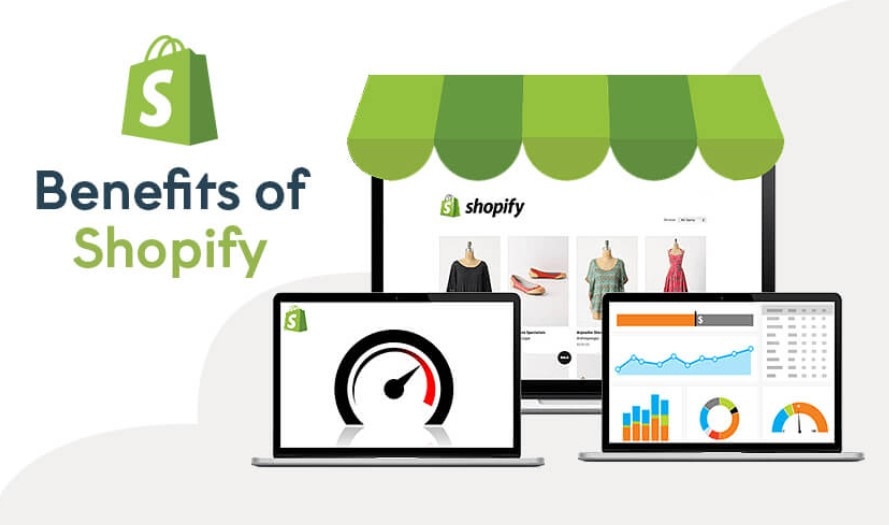
That's where Shopify comes in. In this guide, you'll learn exactly what Shopify is, how it works step by step, what you can sell, and how much it costs. No jargon, no guesswork—just a clear, honest look at whether Shopify is the safe, simple choice for your first online store.
Shopify is a cloud-based e-commerce platform that lets anyone create an online store and sell products—physical, digital, or service-based. Founded in 2006, Shopify now powers millions of businesses in more than 175 countries, according to Shopify.
The key advantage is that everything lives in one place. Web hosting, security, payment processing, inventory tracking, and marketing tools all come built in. You don't need to piece together separate services or hire a developer. Shopify handles the technical heavy lifting so you can concentrate on running your business.
Because it's cloud-based, you can manage your store from any device with an internet connection. Your data stays backed up and secure, and Shopify takes care of software updates automatically.
How Does Shopify Work? (Step-by-Step)
Shopify works by giving you a hosted dashboard where you build, customize, and manage your store from start to finish. Here's how the process usually flows:
Step 1: Sign up and choose a plan
Create an account and start with a free trial. You can explore the platform before committing to a paid plan.
Step 2: Pick and customize a theme
Choose from Shopify's library of free and paid themes. Each one is mobile-responsive, and you can adjust colors, fonts, and layout using a drag-and-drop editor—no code required.
Step 3: Add your products
Upload product photos, write descriptions, set prices, and organize items into collections. You can also track inventory automatically as orders come in.
Step 4: Set up payments
Connect Shopify Payments or a third-party gateway like PayPal. This lets customers pay securely with credit cards, digital wallets, and more.
Step 5: Configure shipping and taxes
Set your shipping rates, choose carriers, and let Shopify calculate taxes based on your location and where you sell.
Step 6: Launch and promote
Once you're happy with your store, hit publish. From there, you can market through built-in SEO tools, email campaigns, and social media integrations.
What Can You Sell on Shopify?
Shopify supports a wide range of products and business models, which makes it flexible for almost any type of seller. If you can ship it, download it, or book it, you can likely sell it on Shopify.
Common things people sell include:
- Physical products: Clothing, jewelry, home goods, electronics, and handmade crafts.
- Digital products: E-books, courses, music, templates, and software downloads.
- Services and bookings: Consultations, classes, and appointments.
- Dropshipping products: Items shipped directly from suppliers, so you never hold inventory.
- Subscriptions: Recurring boxes, memberships, and repeat orders.
This flexibility is a big reason beginners like Shopify. You can start with one product and scale into a full catalog as your business grows.
Shopify Features, Pricing, and Main Benefits
Shopify bundles a lot into every plan, which keeps things simple for new store owners. Below is a quick look at what you get and what it costs.
Core features include:
- Customizable, mobile-ready store themes
- Secure checkout and built-in payment processing
- Inventory and order management
- Built-in SEO and marketing tools
- The Shopify App Store, with thousands of add-ons
- 24/7 customer support
Pricing overview:
Shopify offers three main plans, according to Shopify:
- Basic: Around $29/month—ideal for new and solo sellers.
- Shopify: Around $79/month—suited to growing businesses that need more reporting.
- Advanced: Around $299/month—built for scaling stores with high order volumes.
Prices drop when you pay annually, and a low-cost Starter plan is available for selling through social media and messaging apps.
Main benefits:
Choose Shopify if ease of use and reliability matter more than deep customization. It's especially strong for beginners who want a secure, hosted platform without technical maintenance. Its all-in-one setup means fewer moving parts and less to worry about as you learn.
Is Shopify the Right Place to Start?
Shopify gives beginners a straightforward, secure path to launching an online store—no coding, no complicated setup, and no juggling separate tools. From adding your first product to accepting your first payment, the platform guides you through each step.
If you're ready to test the waters, start with Shopify's free trial. It's the lowest-risk way to explore the dashboard, build a sample store, and decide whether it fits your goals before you spend a cent.
FAQs
Is Shopify good for beginners?
Yes, Shopify is one of the most beginner-friendly e-commerce platforms available. Its drag-and-drop editor, guided setup, and built-in hosting remove most technical hurdles. A helpful tip: start with a free theme and add features gradually so you don't feel overwhelmed on day one.
How much does Shopify cost per month?
Shopify's paid plans start at around $29/month for the Basic plan. Higher tiers cost about $79 and $299/month for more advanced features and reporting. If you're on a tight budget, pay annually to unlock a discount, or try the low-cost Starter plan first.
Do I need coding skills to use Shopify?
No, you don't need any coding skills to use Shopify. The platform is built around a visual editor that lets you customize your store by clicking and dragging. If you ever want deeper changes, you can edit the code or hire a Shopify expert—but most sellers never need to.
Can I use Shopify for dropshipping?
Yes, Shopify works well for dropshipping. You can connect apps like DSers or Spocket to import products from suppliers who ship directly to your customers. This means you never hold inventory, which lowers your startup costs and risk.
Is Shopify better than WooCommerce?
It depends on what you value most. Choose Shopify if you want an all-in-one, hosted platform that's easy to set up and maintain. Choose WooCommerce if you already use WordPress and want full control over customization and hosting, and don't mind managing the technical side yourself.